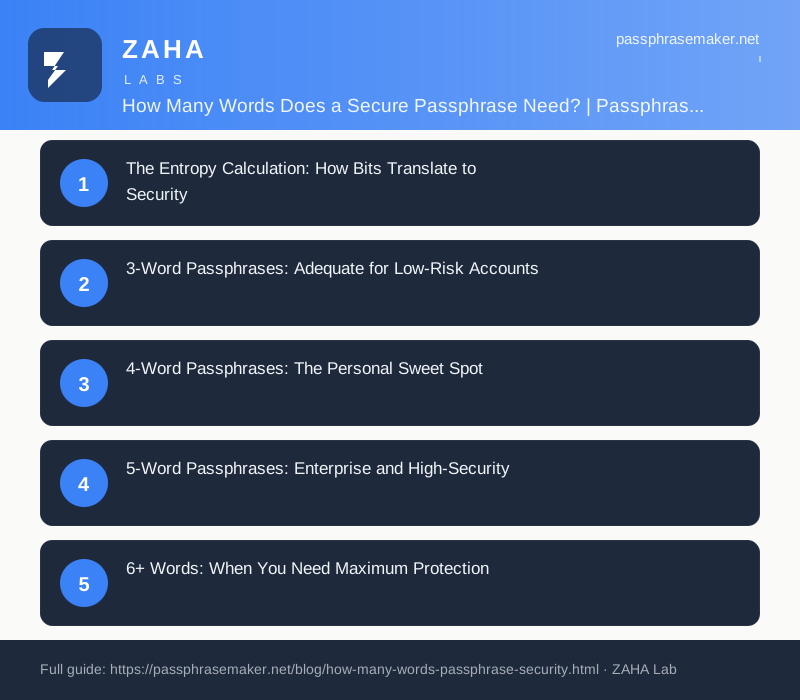
The most common question about passphrases is the most straightforward one: how many words? The answer depends on what you are protecting, who might try to crack it, and how you generate the words. A 3-word passphrase from a small dictionary is quite different from a 5-word passphrase using Diceware's 7,776-word list. The difference is measured in bits of entropy, and those bits determine how long your passphrase resists attack.
Practical Steps for Choosing the Right Passphrase Length
Deciding on passphrase length should start with an honest assessment of what you are protecting. Ask yourself two questions: how damaging would unauthorized access be, and how likely is this account to be targeted? The answers will guide you toward a length that balances security with the effort required to remember and type the passphrase.
- List your accounts by risk. Separate them into low (social media, newsletters), medium (email, shopping), and high (banking, primary email, password manager) risk categories.
- Assign minimum word counts by tier. Use your risk categories to set a floor: three words for low-risk, four for medium, five or more for high-risk accounts.
- Add one word if the account has no recovery option. If losing access permanently is possible, the extra entropy is worth the small memorization cost.
- Consider how the passphrase is entered. A passphrase you type on a phone every day has different usability constraints than one you enter once a month on a desktop. A shorter passphrase you type accurately every time is more secure in practice than a longer one you keep mistyping and resetting.
Common Mistakes That Undermine Passphrase Strength
Length alone does not guarantee security. The way words are chosen and combined matters just as much as the word count. Several habits can quietly strip entropy from an otherwise well-constructed passphrase.
- Choosing words yourself instead of using a random generator. Human-chosen words follow predictable patterns. People gravitate toward nouns, animals, and words from their own language and culture. An attacker who knows a little about you can cut the effective search space dramatically. Random selection from a large word list removes this weakness entirely.
- Using related words. A passphrase like hammer nail wood workshop feels varied but all four words cluster around a single concept. Unrelated words drawn at random are harder to guess as a group.
- Adding predictable padding instead of extra words. Tacking a single digit or exclamation mark onto a short passphrase is a common workaround for sites that require symbols. This adds very little entropy compared to adding another random word. If you must satisfy a symbol requirement, do so, but do not count it as a meaningful security gain.
- Reusing the same passphrase at different lengths. Some people add or remove a word from a base passphrase to create variations across sites. If one version leaks, the pattern is exposed and the others become easier to guess.
- Ignoring site storage practices. A strong passphrase is only as safe as the system storing it. Sites that store passwords without proper hashing can expose even a six-word passphrase in plaintext. While you cannot control this directly, using unique passphrases per site limits the damage when a breach occurs.
How to Verify Your Passphrase Is Actually Working
After creating a passphrase, take a few simple steps to confirm it is functioning as intended before you rely on it.
First, log out immediately after setting the passphrase and log back in. This confirms the passphrase was saved correctly and that you can reproduce it from memory without visual prompts. A surprising number of access lockouts happen because a passphrase was typed differently during setup than it is recalled later.
Second, wait twenty-four hours and test it again. Short-term memory can hold a new sequence reliably for hours. The real test is whether it survives a night of sleep. If you struggle to recall it the next day, add a memory technique such as forming a brief mental image linking each word to the next, or write it down temporarily in a secure physical location while you build the memory.
Third, check whether the site has a maximum password length. Some older systems silently truncate long inputs, which means your five-word passphrase might be stored as only the first thirty characters. Log out, attempt to log in with just the truncated portion, and see what happens. If the truncated version works, you know the site is cutting your input short and you should contact their support.
Finally, store a backup in a secure location. For high-risk accounts, consider writing the passphrase on paper and keeping it somewhere physically secure, separate from your devices. This is not a weakness, it is a recovery option that prevents permanent lockout if your memory fails.
The Entropy Calculation: How Bits Translate to Security
Entropy is measured in bits. Each bit doubles the number of possible passphrases an attacker must try. A passphrase with 40 bits of entropy has 2^40 possible combinations, roughly a trillion. That sounds like a lot, but modern cracking hardware can test billions of guesses per second. The NIST SP 800-63B guideline recommends a minimum of 30 bits for memorised secrets, while security researchers typically recommend 40+ bits for everyday use and 60+ bits for high-value accounts.
The formula is simple: entropy = log2(wordlist_size^word_count). A 3-word passphrase from a 1,000-word list gives 30 bits. A 4-word passphrase from a 7,776-word Diceware list gives 51.6 bits. The difference is more than a million-fold in cracking difficulty.
3-Word Passphrases: Adequate for Low-Risk Accounts
Three random words from the NCSC's recommended approach (using a substantial word list of 10,000+ words) provides approximately 40 bits of entropy. This is adequate for personal accounts that are not high-value targets: social media profiles, forum accounts, newsletter subscriptions, and similar low-risk services.
However, three words is not sufficient for banking, email, or any account whose compromise would cause significant harm. The margin between 40 bits and practical cracking is narrowing as GPU-based password cracking becomes faster. In our testing, a 3-word passphrase from a 10,000-word list resists online attacks well but is increasingly vulnerable to offline cracking of stolen hashes.
4-Word Passphrases: The Personal Sweet Spot
Four words is where passphrases become genuinely practical for everyday security. Using a 7,776-word Diceware list, a 4-word passphrase provides 51.6 bits of entropy. Using a larger word list of 15,000 words, it provides 55.8 bits. This is the sweet spot because it is still memorable, most people can recall 4 unrelated words with 2-3 days of practice, while providing security that resists all practical attacks for years.
For personal email, password manager master passwords, and device encryption, 4 words is the recommended minimum. The EFF's passphrase guidance specifically recommends 4-word Diceware passphrases for personal use.
5-Word Passphrases: Enterprise and High-Security
Five random words from a 7,776-word list provides 64.6 bits of entropy. This is the standard recommended for enterprise environments, system administrator accounts, and any credential that protects sensitive business data. At this level, the passphrase cannot be cracked by any known or foreseeable technology within a human lifetime.
Five words are harder to memorise than four, but mnemonic techniques help. Create a short story linking the words, or practice typing the passphrase 3-5 times per day for a week. Most users find they can recall a 5-word passphrase reliably after 5-7 days of regular use.
6+ Words: When You Need Maximum Protection
For master passwords on enterprise password managers, cryptocurrency wallets, or classified systems, 6 or 7 words provide 77-90 bits of entropy. This is overkill for most use cases, the weakest link in the security chain becomes not the passphrase itself but the system protecting it.
The Diceware method was originally designed with 5 words as the recommended minimum. Six words, as proposed in the original Diceware paper, is the paranoid option: mathematically uncrackable by any realistic threat model for the foreseeable future.
Why Word List Size Matters as Much as Word Count
A 3-word passphrase drawn from a 100-word list provides just 20 bits of entropy, trivial to crack. The same 3-word passphrase from a 10,000-word list provides 40 bits. The word list is as important as the word count. Always use lists of at least 7,000 words. The EFF's large word list (7,776 words) and the original Diceware list (7,776 words) are the industry standards.
Never let users choose their own words. Human-selected words follow predictable patterns, favourite food, pet name, spouse's name, that reduce entropy to near zero. The entire point of a passphrase is the random selection, not the words themselves.
FAQs
Is a 3-word passphrase from the NCSC method secure for email?
The NCSC's 3-random-words approach provides approximately 40 bits of entropy when drawn from a sufficiently large word list. This is adequate for low-risk accounts but most security researchers recommend 4 words (51+ bits) for email and other sensitive accounts.
How long should a passphrase be in characters?
Character count is less important than word count and word list size. A 4-word Diceware passphrase averages 24-28 characters. That length naturally exceeds the minimum requirements of any password policy while remaining memorisable.
Can I use the same passphrase on multiple accounts?
No. Each account must have a unique passphrase. Use a password manager to store different passphrases for each service. The passphrase you memorise is only for the password manager master vault.
What happens if I forget my passphrase?
If you forget your password manager master passphrase, there is no recovery, that is the point. Write your recovery codes and store them in a safe or with a solicitor. Most password managers provide a one-time recovery code at setup. Keep that somewhere physically secure.